

Push Opt-In Strategies: Grow Your Notification Audience (Without Annoying Users)
8 min read
Last updated
Share
In this article
Opt-ins are permission. Treat them that way and your push program becomes a durable retention channel, not a permission sink.
If your push opt-in rate is stuck in the single digits, the problem is rarely “users hate push.” The problem is how you ask, when you ask, and what you promise next. Retention-first brands use push for helpful, time-sensitive value (order updates, back-in-stock, early access), and they let customers set the rules from the start. This guide lays out respectful opt-in tactics that grow your push audience and keep opt-outs low: value statements that convert, just-in-time prompts, preference-based consent, frequency caps, quiet hours, and measurement that proves lift.
We’ll also show you how to implement this quickly in your existing stack, Shopify + our top partner Klaviyo for web/mobile push orchestration, plus a simple zero-party data (ZPD) capture layer so opt-ins are targetable from day one. Need help? Explore our services or request a retention audit. For lifecycle timing and channel choreography, keep our Holiday Retention Calendar and 10 Core Retention Workflows handy.
Why push opt-ins matter (and the math of permission)
Push is the shortest path from intent to action: one tap back to the exact screen. But it’s a permissioned channel, no opt-in, no delivery. Raising opt-ins from 8% → 18% doesn’t just “grow reach”; it de-risks your lifecycle. At a constant per-recipient revenue (RPR), that delta can deliver double-digit lift to repeat purchase, without spending another dollar on acquisition.
- Opt-in funnel: eligible users → prompt shown → “allow” → retained subscribers → active openers.
- Elasticity: small gains at each stage compound. A +15% better prompt show rate × +20% allow rate × lower 30-day churn yields a meaningfully larger retained audience for launches and replenishment.
Principles: value, timing, control, respect
- Value: Say what users get (“Order updates, back-in-stock, 2×/mo new drops”), not what you’ll send (“notifications”).
- Timing: Ask after a positive micro-moment (delivery tracked, item wishlisted, size picked), not on first paint.
- Control: Let people pick a theme and set quiet hours, then honor it. Add Snooze (7 days) to reduce hard opt-outs.
- Respect: No dark patterns. If someone says “no,” stop asking; offer settings later in Account → Notifications.
Want this checked in your own account?
We review your flows, segments, campaigns and deliverability in a 35 to 40 page audit, delivered in 3 to 5 days.
Stack & partners: Shopify → Klaviyo push (+ ZPD capture)
Keep push in the same orchestration brain as email/SMS so deduping, sequencing, and reporting live together. Our preferred stack is Shopify + Klaviyo (web + mobile push) with a lightweight ZPD capture layer.
-
Identity: Bind push tokens to Klaviyo profiles. Pass events you’ll target:
shipment_update,back_in_stock,price_drop,subscription_upcoming_charge,abandoned_browse/cart,wishlist_add. -
Properties: Store
push_theme(“updates|stock|drops”),quiet_hours, andchannel_pref(email|sms|push|combos). - ZPD how-to: For value statements and consent UX, see our primer Zero-Party Data: What It Is & How to Use It and the implementation notes in Personalization Services.
9 proven opt-in plays that grow audiences without backlash
1) Pre-permission value card (web + app)
Don’t lead with the native browser prompt. First show a branded message that spells out the value and lets users pick a theme. Only after they select, trigger the system prompt.
Copy: “Get: ① Order updates ② Back-in-stock ③ New drops (2×/mo). Choose your preference.”
2) Just-in-time ask after a success moment
Ask at the moment of relevance: after “Track package” tap, after “Notify me” on an OOS variant, after adding to Wishlist, or when a user engages with the Launches page. Relevance → consent.
3) “Try push for 30 days” micro-trial
Offer a time-boxed trial with auto-snooze. It frames opt-in as reversible and reduces fear of spam. Store push_trial_end and re-ask with proof of value delivered.
4) Preference-first opt-in on Account → Notifications
Don’t bury settings. Add a dedicated page that works even if users initially said “no.” Many users are willing to change their mind when they can fine-tune.
5) Push-worthy perks (without coupons)
For opt-in nudges, use meaningful utilities: stock guarantees for VIPs, early access holds (“reserve 30 minutes”), delivery-today alerts, sample selection windows, benefits that need push.
6) Post-purchase “stay in the loop” ask
After “Order confirmed,” ask for delivery alerts + restock for complementary items. This is the least intrusive place to win opt-ins.
7) “Notify me on this product only” (granular consent)
Enable single-SKU push permissions (e.g., restock for shade “North Star”). Granularity builds trust and converts fence-sitters.
8) Social proof in the prompt
“Join 42,000 customers who get 2×/month early access and back-in-stock alerts.” Lightweight proof increases allow rates, don’t fake it.
9) Respectful re-permission after 90 days
For “soft no” users, ask again later with proof: “We sent 7 delivery alerts and 2 early access messages, no spam. Want to try push for 30 days?” Always honor past preferences.
Ready to build the post-opt-in experience users won’t regret? Pair this with our companion guide: 10 Core Retention Workflows and our push messaging playbook (crafting value-led copy, timing, and caps) in Holiday Retention Calendar.
UX patterns that convert (pre-permission, micro-copy, visuals)
- Headline structure: Benefit + Boundaries + Control, “Delivery updates & early access. 2×/mo. Snooze anytime.”
- Action design: Primary CTA “Turn on push,” secondary “Not now,” tertiary “See examples” (links to a small gallery of past, helpful pushes).
- Visuals: Show a mock push that matches the user’s last viewed product/variant. Specificity changes minds.
- Placement: Float at the bottom as a compact card; never full-screen hijacks on first visit.
Timing, quiet hours, and frequency (the discipline layer)
- Quiet hours: Respect local time zones (e.g., 8pm–8am), except transactional alerts users explicitly requested.
- Frequency caps: Promotional push ≤1 per 48 hours. Transactional pushes allowed but still monitored.
- Channel choreography: Don’t double-tap. If push fires, delay SMS by 15–30 minutes; use email for the deeper story and comparisons.
- Recency gating: Suppress push to anyone who tapped a push (or opened an email) within X hours to prevent pile-on fatigue.
Segmented consent: using zero-party data on day one
Ask for 2–3 things you’ll use immediately, then use them. Store in Klaviyo so push, email, and SMS speak the same language:
-
push_theme: “updates|stock|drops” dictates which automations a user ever sees. -
quiet_hours: choose a window; enforce at the profile level. -
primary_goal,variant_pref: allows SKU-accurate back-in-stock and tailored drop alerts.
For the capture layer and best-practice prompts, see Zero-Party Data: What It Is & How to Use It and implementation support in Personalization Services.
Measurement & experiments: prove incrementality
- Opt-in funnel: eligible → prompt shown → allow → retained 30-day → active (tap ≥1). Track soft dismiss vs. hard no.
- Quality metrics: snooze usage, preference changes, uninstall/permission revokes.
- Revenue: tap-through → conversion → revenue per recipient (RPR), repeat purchase rate lift in cohorts exposed to push.
- Holdouts: maintain 10–20% control (no prompt / email only) for clean read on opt-in and downstream revenue.
- Copy & UX tests: value framing (“delivery + restock” vs. “early access”), example gallery vs. none, image vs. text-only, “Snooze” present vs. absent.
Monitor leading indicators weekly using our approach in Engagement as a Leading Indicator.
4-week implementation roadmap
Week 1: Align & define
- Write the value promise (“delivery clarity, early access, zero spam”). Choose KPIs: opt-in %, retained 30-day, tap-through, RPR lift, snoozes.
- Decide preference options (themes + quiet hours); set frequency caps.
Week 2: Build the spine in Klaviyo
- Bind push tokens to profiles; pass key events (shipment, stock, price, subscription, browse/cart).
- Stand up the pre-permission card and the native prompt trigger; store selections in
push_theme,quiet_hours.
Week 3: Launch ZPD and opt-in plays
- Deploy the 9 plays above. Add Snooze + Help actions. Stage a “Try for 30 days” flow with auto-snooze if no taps.
- Set deduping across channels; enforce quiet hours and frequency caps.
Week 4: QA, holdouts, learn
- Verify token resolution and deep links. Turn on 10–20% holdouts. Report weekly on funnel, opt-in health, and revenue lift. Ship micro-wins every Friday.
Common pitfalls (and the fix)
- First-visit hijacks: Don’t ask before value exists. Use success-moment prompts instead.
- No preference control: Add themes + quiet hours + Snooze; respect them.
- Simultaneous blasts: Stagger channels; push = nudge, email = detail, SMS = confirmation/help.
- Collecting data you won’t use: If a field won’t change the very next touch, don’t ask for it.
- No control group: Without holdouts, your “lift” is luck. Keep a permanent control.
What to do next
Push opt-ins aren’t a growth hack; they’re a trust contract. Say what you’ll deliver, ask at the right time, give people control, and keep your promise. If you want a done-with-you build, we’ll design the pre-permission UX, wire Klaviyo push alongside email/SMS, and validate lift with clean holdouts.
Start with our services, time your orchestration with the Holiday Retention Calendar, and level-up your post-opt-in experience via 10 Core Retention Workflows.
---
Article By: Mariel Kilroy, Co-Founder, Sticky Digital
Mariel Kilroy is the Co-Founder of Sticky Digital, a retention marketing agency specializing in email, SMS, loyalty, and subscription growth for DTC brands.
Retention only, since 2019.








Emails we have designed and shipped.
 American Optical
 Smith Teamaker
 ZO Skin
 Wiley X
 Tubby Todd
 Legend Headwear
 Calaswim
 Alaskan Salmon Co.
 Nearly Natural
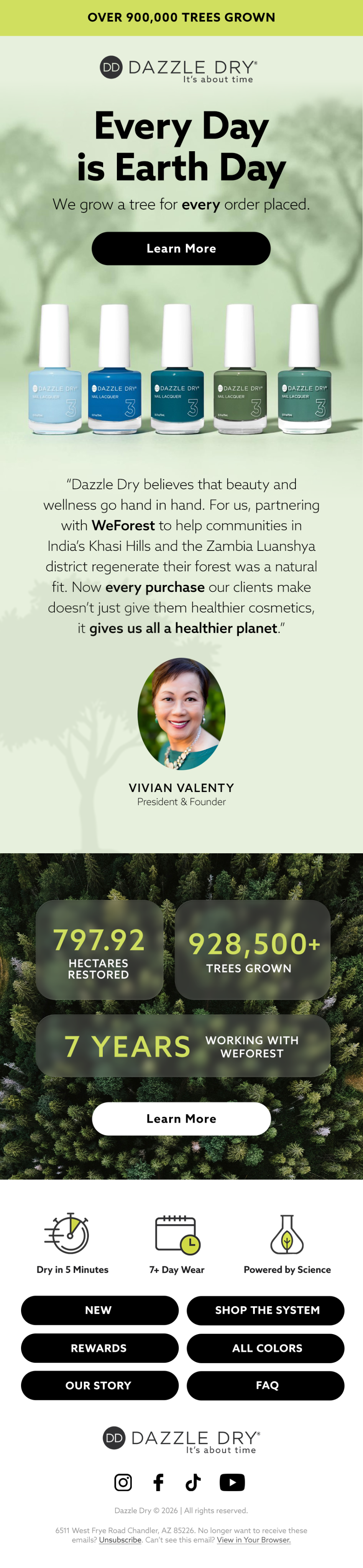 Dazzle Dry
More from Direct to Consumer Retention Topics
 Switch to Attentive Email: What the Move Involves and Why Brands Make It
Find out what your program is leaving on the table.
A 35 to 40 page audit of your email and SMS program, delivered in 3 to 5 days. It is yours to keep whether or not we work together.
Get my free audit See pricing